Skip to content

GitLab

  • Menu
Projects Groups Snippets
    • Loading...
  • Help
    • Help
    • Support
    • Community forum
    • Submit feedback
    • Contribute to GitLab
  • Sign in
  • J jyb-games
  • Project information
    • Project information
    • Activity
    • Labels
    • Members
  • Repository
    • Repository
    • Files
    • Commits
    • Branches
    • Tags
    • Contributors
    • Graph
    • Compare
  • Issues 0
    • Issues 0
    • List
    • Boards
    • Service Desk
    • Milestones
  • Merge requests 0
    • Merge requests 0
  • CI/CD
    • CI/CD
    • Pipelines
    • Jobs
    • Schedules
  • Deployments
    • Deployments
    • Environments
    • Releases
  • Monitor
    • Monitor
    • Metrics
    • Incidents
  • Packages & Registries
    • Packages & Registries
    • Package Registry
    • Infrastructure Registry
  • Analytics
    • Analytics
    • Value stream
    • CI/CD
    • Repository
  • Wiki
    • Wiki
  • Snippets
    • Snippets
  • Activity
  • Graph
  • Create a new issue
  • Jobs
  • Commits
  • Issue Boards
Collapse sidebar
  • students
  • jyb-games
  • Wiki
  • 21.07.19

Last edited by seung ho yoo Jul 19, 2021
Page history
This is an old version of this page. You can view the most recent version or browse the history.

21.07.19

7월 9일

Defense_Game 만들기

Scene 이동 , Animation효과 , Audio 넣기

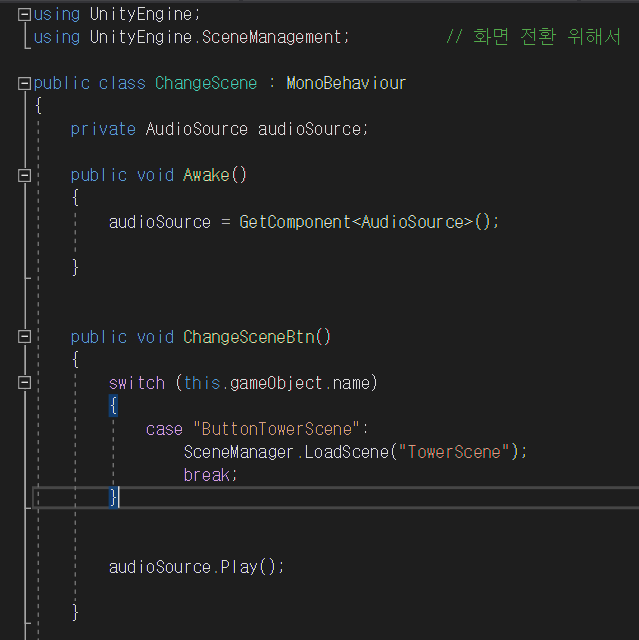
1.Scene 이동

  • Project view에서 새로운 Scene을 만든다

  • 화면 전환을 위한 ChangeScene.cs을 만든다
    image

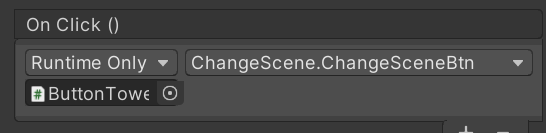
  • MainScene에 새로운 Button을 만들고 ChangeScene.cs을 넣어준다
    image

2.Animation 만들기

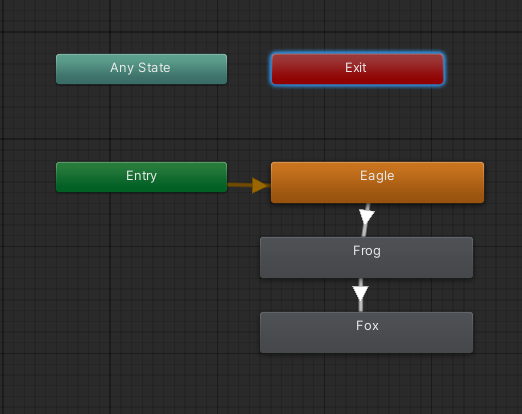
  • Animator Controller 만들고 그 안에 Animation(State)를 넣어준다
    image

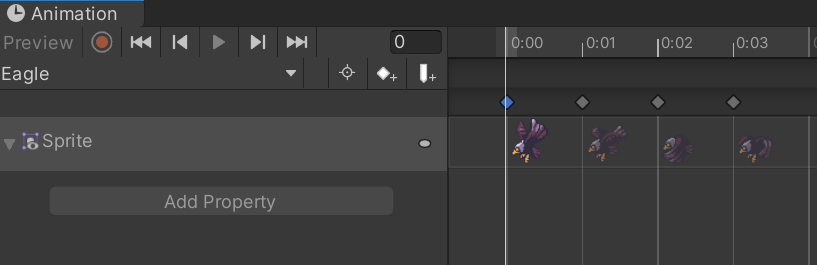
  • Animation을 sprite를 이용해서 만들어 준다
    image

  • 다른 animation을 Transition을 만들어 연결 해준다

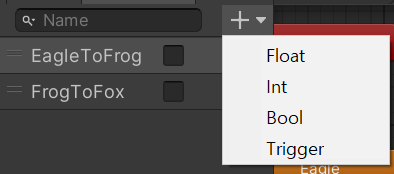
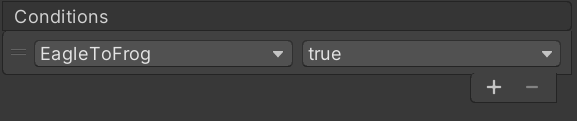
  • parameter를 이용해 type별로 조건을 만들고 transition에서 조건을 설정
    image
    image

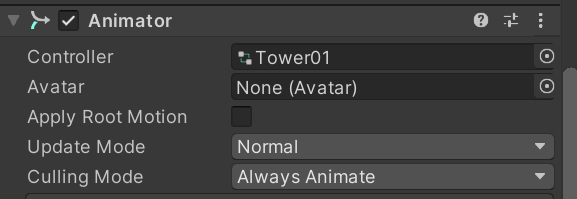
  • Tower prefab에 Animator component를 추가하고 Controller를 추가해준다
    image

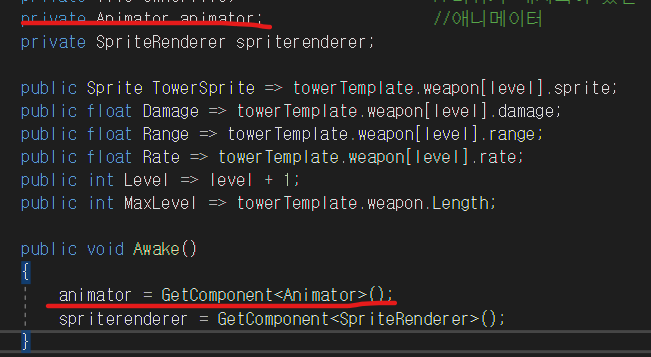
  • Towerweapon.cs에 animator추가
    image

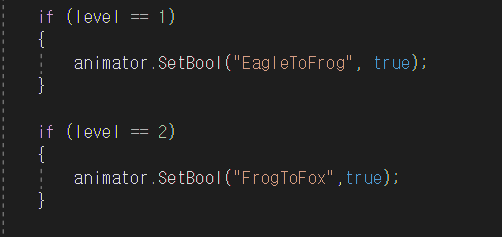
  • 스크립트에서 타워 레벨에 따라 bool에 값을 넣어준다
    image

3.화면전환 버튼에 Audio 넣기

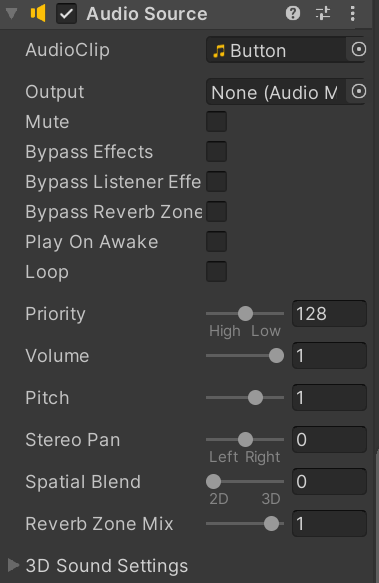
  • Button에 Audio Source를 넣어주고 audio를 AudioClip에 넣어준다
    image

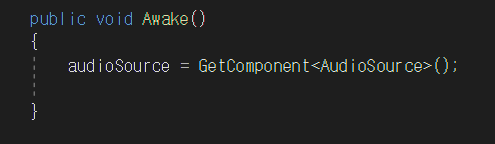
  • AudioSource를 받아서 audioSource.Play()를 실행
    image
    image

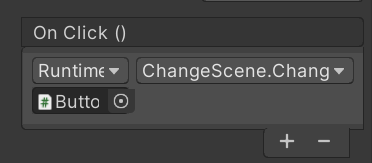
  • Button Object에 On Click()에 넣어준다 image

4. 배경 음악 깔기

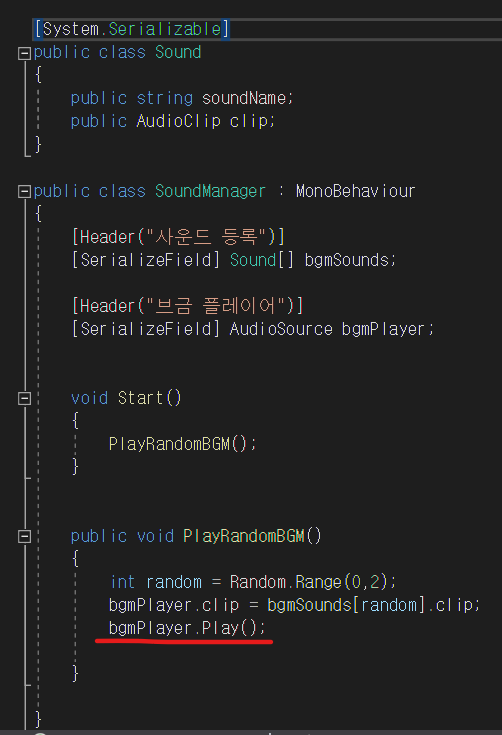
  • SoundManager.cs 스크립트를 만들고 음악을 play하도록 한다
    image

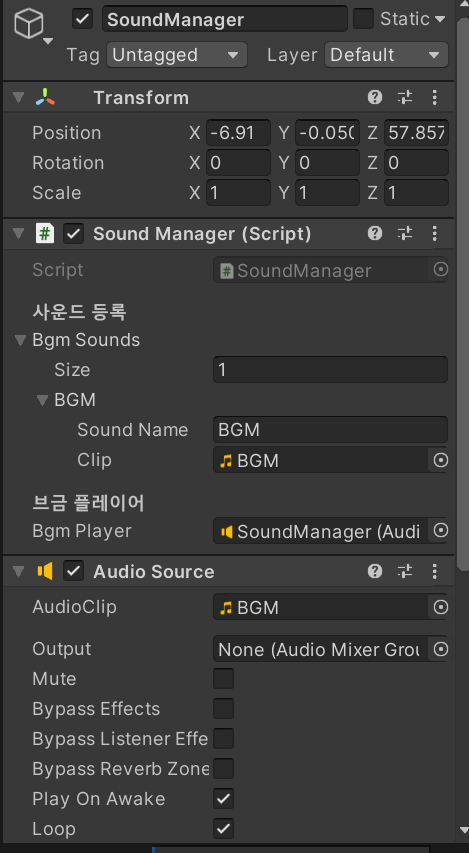
  • SoundManager라는 빈 오브젝트를 만들고, 방금 만든 스크립트와 Audio Source component를 추가 해준다.
    image

변경 사항

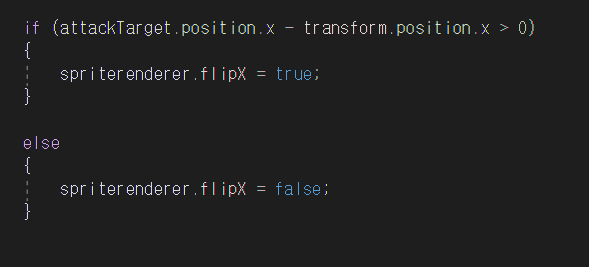
  • 기존 대포 tower가 공격시 타겟을 따라 회전 하도록 함수를 만들었는데 animation을 쓰면서 화면이 부적절 해 보여서 target의 좌표와 target의 좌표를 이용해서 filpX를 통해 object를 뒤집었다
    image
Clone repository
  • 21.06.28
  • 21.06.30
  • 21.07.02
  • 21.07.05
  • 21.07.07
  • 21.07.09
  • 21.07.12
  • 21.07.14
  • 21.07.16
  • 21.07.19
  • 21.07.26 (1)
  • 21.07.26
  • 21.07.28 DH
  • 21.07.28 SJ
  • 21.07.28
View All Pages